Free
For trying LanWarp and small groups
€0forever
- 1 server
- Up to 10 players at once
- Random address, like
sunflower48213.euw.lanwarp.net - 5 backups on your PC
- Plugins in one click
- Server status on Discord
LanWarp creates the server and gives it an address like sunflower48213.euw.lanwarp.net. Players join from anywhere, with no port forwarding and nothing to install.
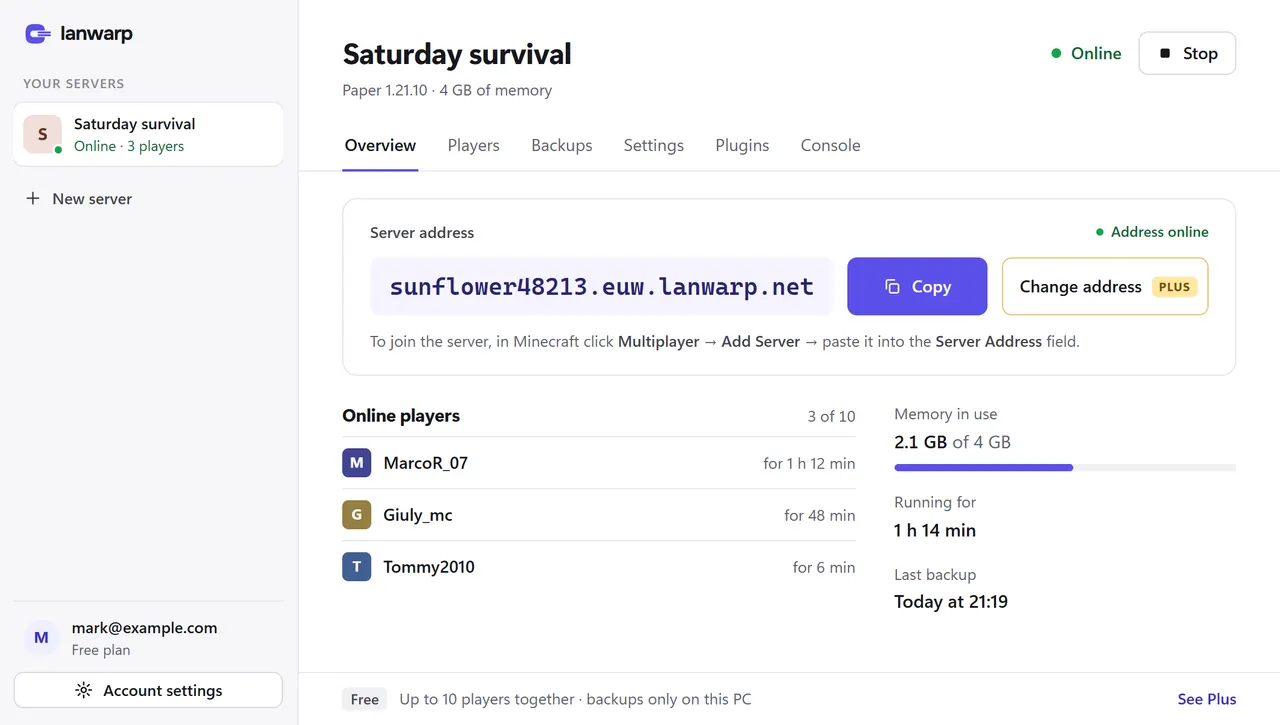
Minecraft Server, Saturday survival, Free server with lanwarp.com, 3/10
Measured on a clean Windows PC, from the download to the first player joining.
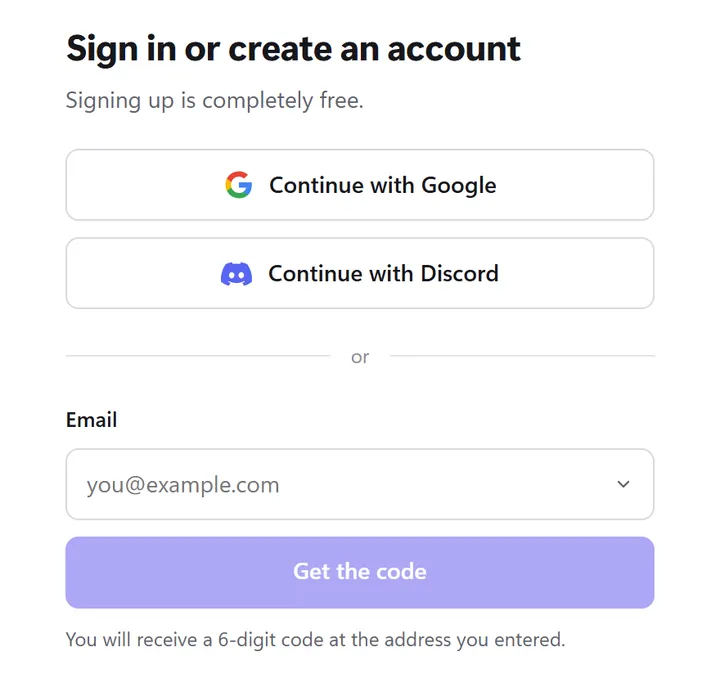
Email code, Discord or Google. No password to remember.
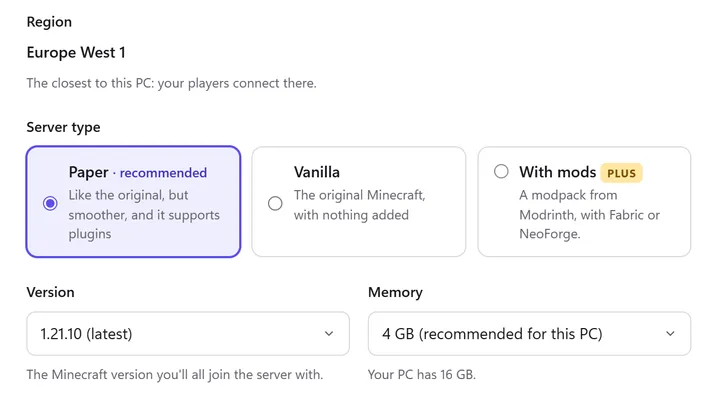
Paper or Vanilla, the latest version and the right memory are already picked. Java downloads by itself.
Minecraft Server, Saturday survival, Free server with lanwarp.com, 3/10
Players add it in Multiplayer, like any other server.
Players connect to a LanWarp relay. Your PC opens the connection to the relay, so there is nothing to open on your router.
Players only see the address of the relay.
The Minecraft server on your PC only accepts connections from your own computer.
The relay reads only the address the player typed. Minecraft’s encryption and the Microsoft login are untouched.
When you create a server, the app measures the relays from your PC and picks the fastest one.
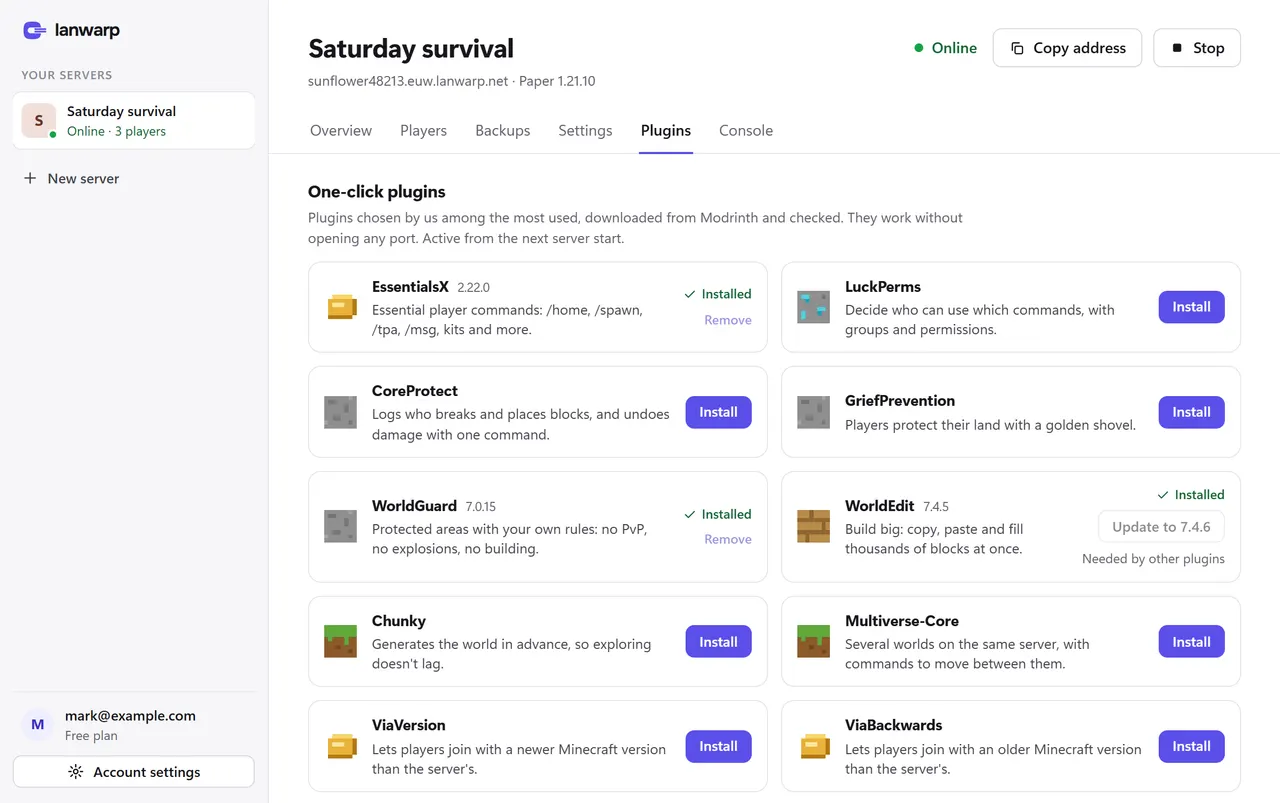
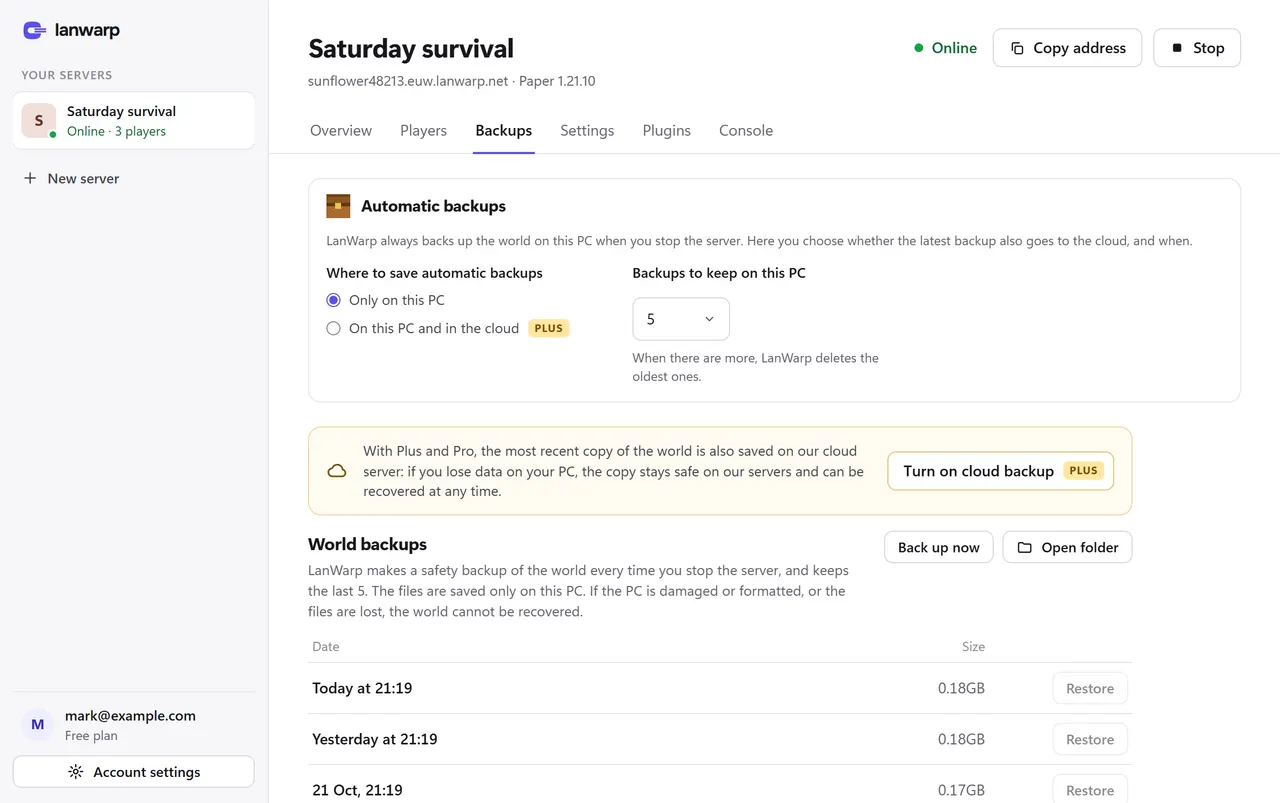
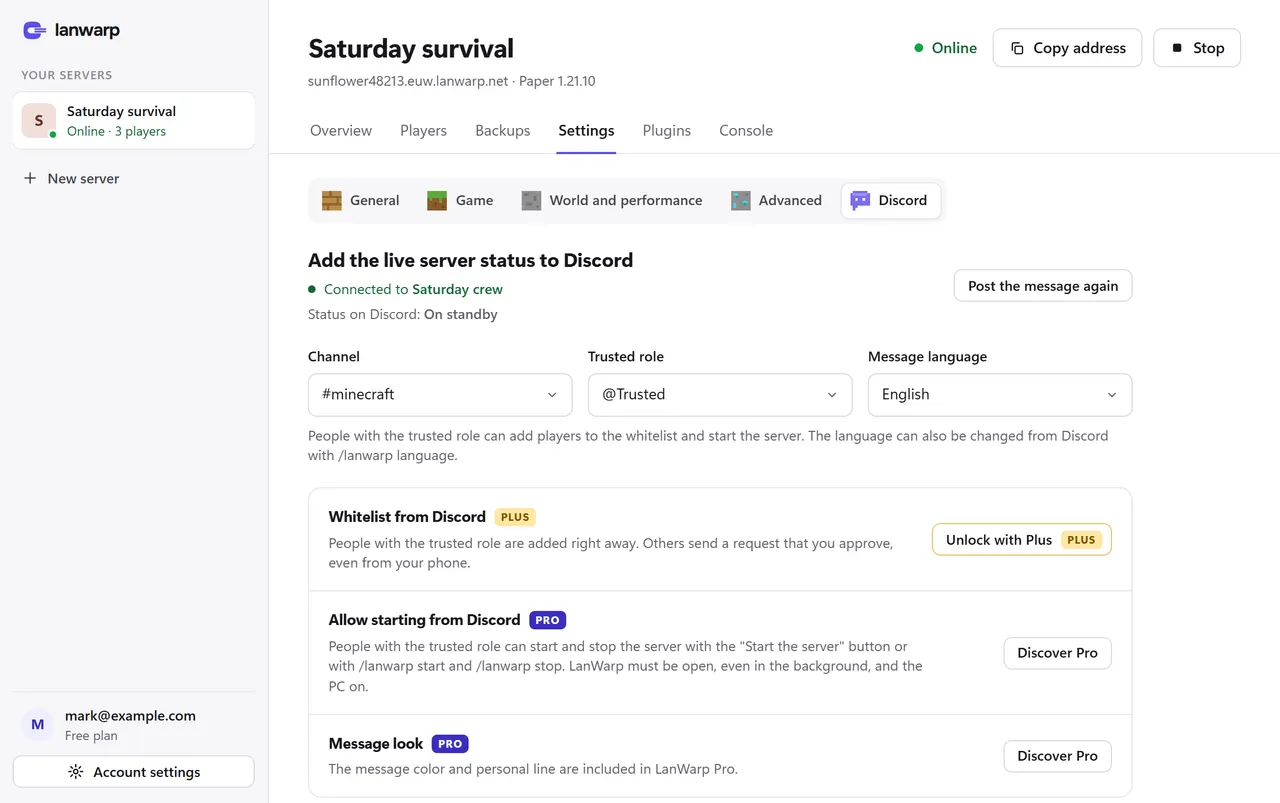
Players, plugins, backups and Discord, without editing files or typing commands.
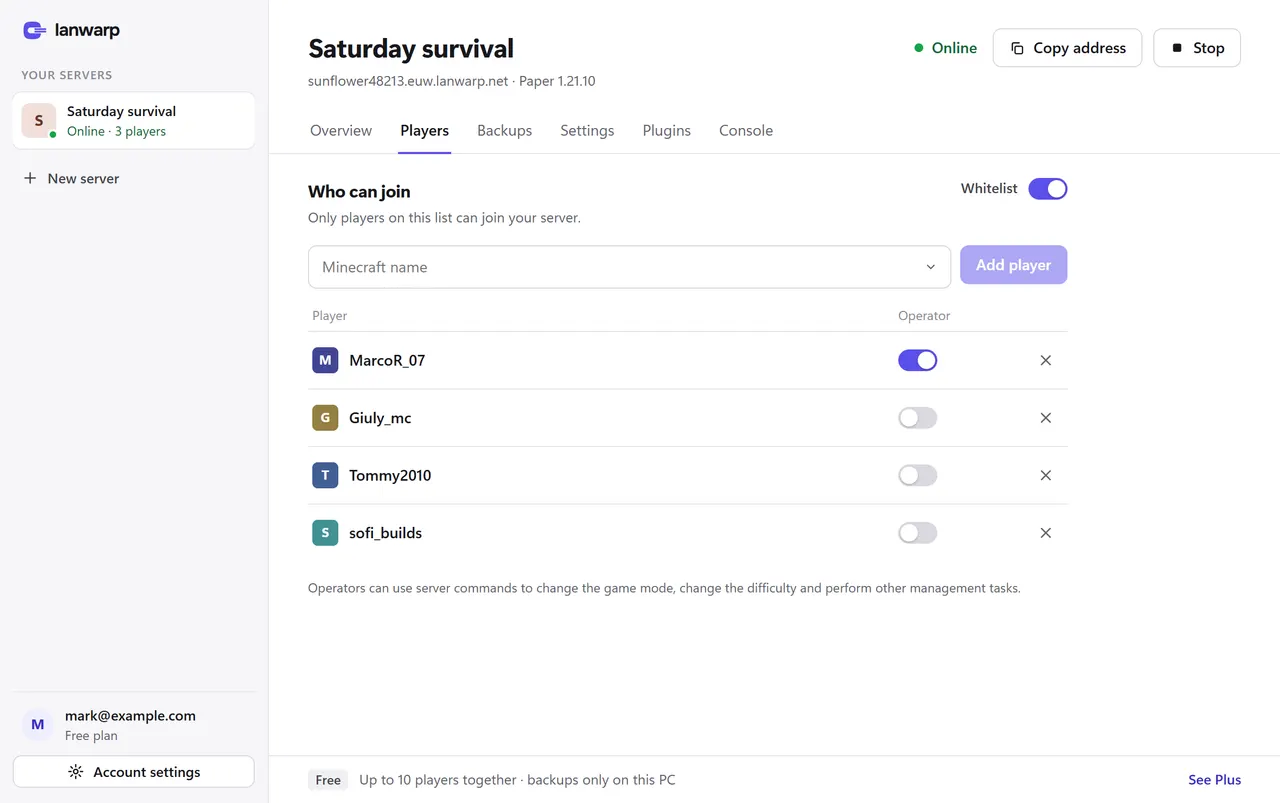
New servers only let in the players you add.
Read the server log and send commands.
Game mode, difficulty, PvP, keep inventory and more, without editing files.
Move to a newer Minecraft version. LanWarp makes a backup first.
Saved on your PC every time the server stops.
The app speaks both languages.
For Paper servers. LanWarp picks the right version and installs the plugins they need. Files come from Modrinth and are checked first.
We’re working on supporting as many plugins as possible. Have a suggestion? Write to us at suggestions@lanwarp.com.
Pick a Fabric or NeoForge modpack from Modrinth. LanWarp installs the server side for you.
Players install the same modpack in their launcher. The app gives you the link to share.
The LanWarp bot keeps one message in your channel up to date, so everyone knows when to join.
While a server is on, your Discord profile shows Playing LanWarp.
ONLINE
Saturday survival
Version 1.21.10
For trying LanWarp and small groups
sunflower48213.euw.lanwarp.netRecommended
For bigger groups and more servers
You keep your server and world when you upgrade.
Everything in Free, and:
castle.euw.lanwarp.netFor communities with many servers
You keep your server and world when you upgrade.
Everything in Plus, and:
Players don’t need a subscription. Only the host does.Compare all features →
Minecraft: Java Edition and the server address. They add it in Multiplayer, like any other server.
No. The server runs on your PC, so it is online while your PC is on and the server is started.
Not yet. We’re working on it: cross-play with Bedrock Edition will arrive in a coming update.
Yes. 1 server and up to 10 players at once, with no time limit.
For Windows 10 and 11. Players only need Minecraft: Java Edition.
Download for WindowsVersions for Mac and Linux, and cross-play with Bedrock Edition, are coming in future updates.